
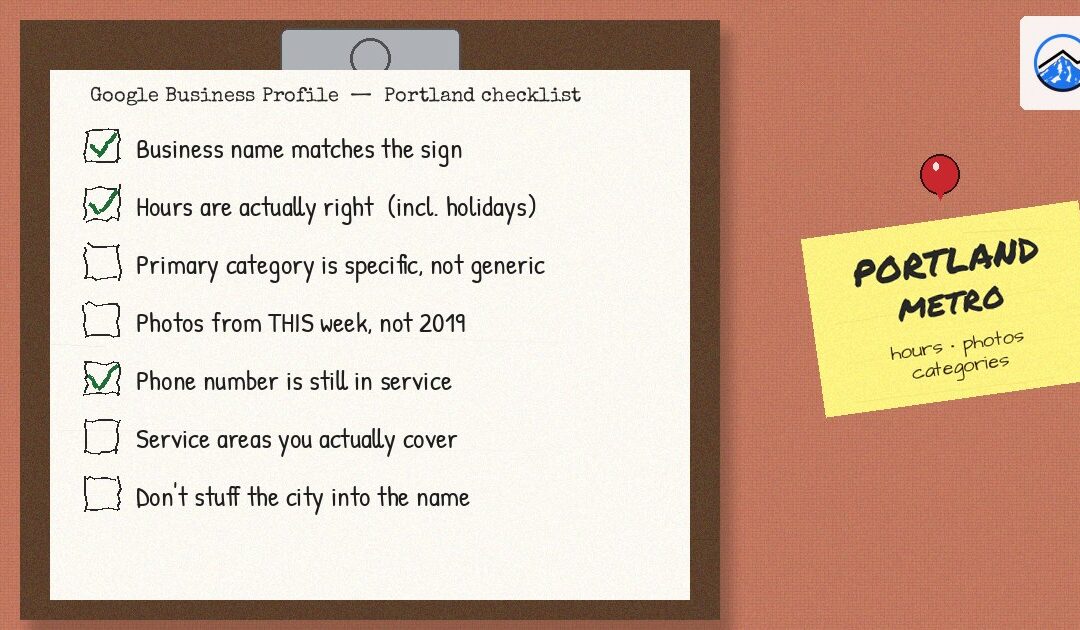
When someone in Portland pulls up Google Maps and searches for a coffee shop, a roofer or a dentist, your Google Business Profile is often the first thing they see, sometimes before they ever visit your website. Three parts of that profile cause most of the problems we see: hours, categories and photos. They are also the easiest to fix yourself. Work through this checklist once, then use the short monthly routine at the end to keep it accurate.
Before you start: make sure you control the profile
- Confirm ownership. Sign in with the Google account you use for the business and search your business name. If you see the option to manage the profile, you have access. If not, request access or claim it.
- Review who else has access. Remove former employees and past vendors who no longer need it. Keep at least two trusted owners so you are never locked out.
- Check your business name. It should match your real-world signage. Adding keywords or city names that are not part of your actual name (for example, “Best Plumber Portland”) goes against Google’s guidelines and can get a profile suspended.
Hours checklist
Regular hours
- Match the hours on your door, your website and your phone greeting. Customers notice when they disagree.
- Use split hours if you close mid-day, rather than listing one long block.
- If you are appointment-only, say so in your description and set hours for when you actually answer the phone.
Holiday and weather hours
- Add special hours ahead of Thanksgiving, Christmas Eve, Christmas and New Year’s. Google often prompts owners to confirm holiday hours; do not ignore those prompts.
- When a Portland-area ice storm or snow day closes you, update special hours the same morning. It takes a minute and saves customers a wasted, slippery drive.
More hours
Depending on your category, Google lets you add separate hours for things like pickup, delivery, drive-through or a kitchen that closes before the bar. If customers ask “are you open for X,” this is where the answer belongs.
Service-area businesses
If you go to your customers, such as contractors, cleaners and mobile services, you can hide your street address and list the areas you serve instead. Google allows up to 20 service areas. Many Portland-area businesses work on both sides of the Columbia River, so consider whether you serve Southwest Washington towns such as Vancouver or Longview as well as Oregon cities like Portland, and list only the places you truly serve.
Categories checklist
- Your primary category matters most. Choose the most specific option that describes your core business. “Italian restaurant” is more useful than “Restaurant”; “Roofing contractor” is more useful than “Contractor.”
- Add secondary categories carefully. You can add up to nine additional categories, but only add ones for services you actually provide. Extra, loosely related categories can confuse both Google and customers.
- Look at who shows up for your main searches. Search your most important service plus your city in Google Maps. The primary category is shown under each business name, which gives you a quick read on what Google associates with those results.
- Expect a review after big changes. Changing your primary category may trigger a review or re-verification, so make the change deliberately and do not keep switching it back and forth.
- Fill in Services and Products with short, plain-English descriptions.
Photos checklist
- Logo and cover photo. Upload a clean, square logo and a cover photo that shows what you do.
- Exterior photos. Show your storefront from the street, the way a first-time visitor will see it. In busy neighborhoods where parking is tight, a photo of your entrance or nearby parking helps people find you.
- Interior and work photos. Show your space, your products and finished jobs. Photos of your real team are great, as long as everyone pictured has agreed to it.
- Skip stock photos and heavy text overlays. Real, well-lit photos taken on a modern phone are better than generic images.
- Add photos regularly. A few new photos each month keeps the profile current and gives returning customers something new to see.
- Review customer photos. Customers can upload photos too. If one is misleading, offensive or not your business, you can report it.
A 15-minute monthly routine
- Check that hours are right and add any upcoming special hours.
- Read and reply to new reviews, both positive and negative.
- Answer any new questions and check for edits suggested by the public.
- Add two or three new photos.
- Publish one update or offer post about something real happening at your business.
If your profile is in good shape but you still are not showing up in the map results, the issue is usually bigger than one listing: your website, reviews, citations and competition all play a part. That is the work our local SEO services focus on, and it pairs well with consistent posting through social media marketing.
Frequently asked questions
How long do Google Business Profile changes take to show up?
Many edits appear within minutes, but some changes go into review and can take several days. If an edit shows as under review, avoid re-editing it repeatedly, which can restart the process.
Should I list my home address if I run my business from home?
If customers do not visit you at that address, set your profile up as a service-area business and hide the address. List the cities or ZIP codes you serve instead.
Can I have separate profiles for Portland and Vancouver?
Only if you have a real, staffed location at each address that meets Google’s guidelines. If you serve both areas from one location, use a single profile with service areas.
Want help with this?
Not sure your profile is set up correctly, or tired of keeping it updated? Three 7 Projects is a Happy Valley-based marketing agency that works with small businesses across the Portland metro and Southwest Washington. Call us at 503-799-0407 or send us a message on our contact page and tell us what you are working on.