
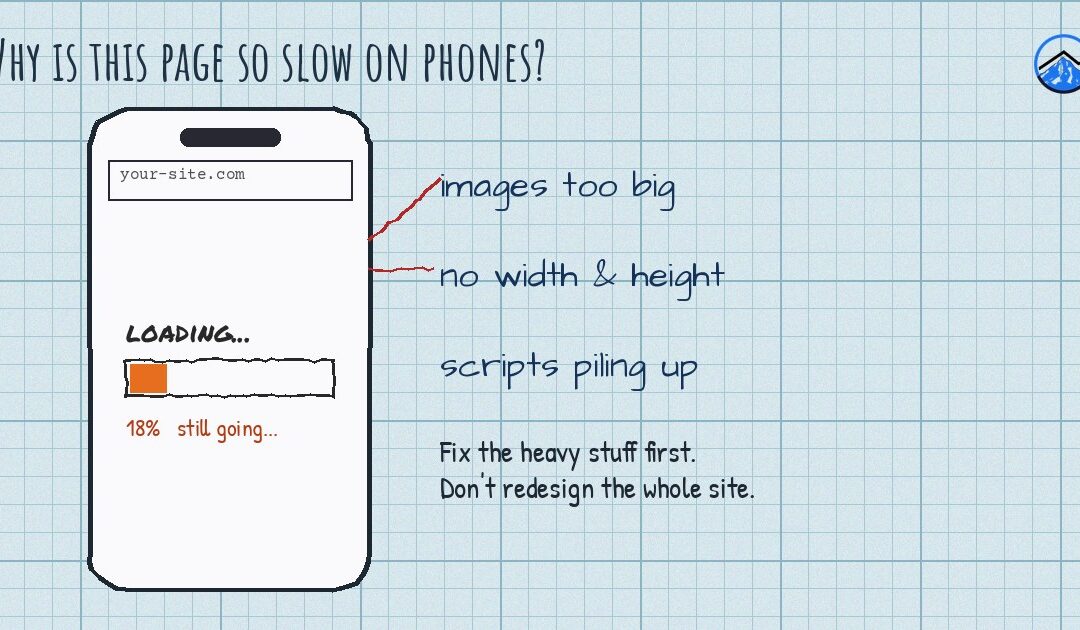
Your website might load quickly on your office computer and still feel painfully slow on a customer’s phone. That gap matters: most local searches happen on phones, often on a cellular connection while someone is in the car, on the MAX or standing in a parking lot deciding where to go. Google also primarily uses the mobile version of your site when it crawls and ranks pages. Here is why phones struggle, how to measure the problem for free, and what to fix first.
Why phones feel slower than your desktop
- Slower processors. Phones, especially older or budget models, take longer to process heavy JavaScript and large images.
- Less reliable connections. Coverage varies around the metro, and it gets spotty in hilly or rural areas. A page that downloads several megabytes is fine on office Wi-Fi and slow on one bar of signal.
- Desktop-first design. Many sites were designed on large screens, then squeezed down. The phone still downloads everything the desktop version uses.
How to measure it for free
Run your homepage and your most important service page through Google’s free PageSpeed Insights tool and look at the Mobile tab. Pay attention to two sections:
- Field data (labeled as real-user or Core Web Vitals data) comes from real Chrome users. It only appears if your site gets enough traffic.
- Lab data is a simulated test. It is useful for diagnosing problems, but the score can bounce around between runs.
Google’s published targets for a “good” experience are a Largest Contentful Paint (how long the main content takes to appear) of 2.5 seconds or less, Interaction to Next Paint (how quickly the page responds to taps) of 200 milliseconds or less, and Cumulative Layout Shift (how much things jump around) of 0.1 or less. Focus on those, not on the single score at the top.
What to fix first
1. Oversized images
This is the most common problem we find. A hero photo straight from a modern phone or camera can be several thousand pixels wide and multiple megabytes. Resize images to the largest size they actually display, compress them, and use modern formats like WebP. Lazy-load images further down the page, but not the main image at the top, which should load right away.
2. Too many plugins and third-party scripts
Chat widgets, several tracking pixels, embedded social feeds, review sliders and pop-up tools each add code a phone must download and run. Make a list of everything that loads on your homepage and ask whether each item earns its place. Removing one heavy widget often helps more than any setting.
3. Page builder bloat
Builders like Divi and Elementor make design easier but can load more CSS and JavaScript than a page needs. Check the builder’s own performance settings (Divi, for example, includes options for dynamic CSS and JavaScript loading) and remove unused modules, animations and sections.
4. Caching and hosting
A page cache serves a ready-made version of each page instead of building it from scratch for every visitor. Add a reputable caching plugin or host-level caching, consider a content delivery network, and make sure your host runs a current, supported PHP version. Very cheap shared hosting can be slow no matter what you do on the site itself.
5. Fonts
Every font family and weight is another download. Two families with a few weights is plenty for most small business sites.
6. Content that jumps around
If buttons move while the page loads, people tap the wrong thing. Set width and height on images and reserve space for banners and cookie notices so the layout stays put.
What not to do
- Do not install three speed plugins at once. They often conflict and can break your site.
- Do not chase a perfect 100 score. A fast, usable page that converts visitors is the goal.
- Back up your site before making changes, change one thing at a time, and retest after each change.
If the fixes go deeper than settings, such as a dated theme or a site rebuilt piece by piece over the years, it may be time to look at website design and development with speed planned in from the start. A faster site also supports your search engine optimization. We help businesses in Portland, Longview and across our service areas.
Frequently asked questions
Does site speed affect my Google rankings?
Page experience, including speed, is one of many signals Google uses. Relevant, helpful content matters more, but a slow site loses visitors before they ever see that content, so speed still affects your results.
Do I need a PageSpeed score of 100?
No. Aim to pass the Core Web Vitals targets on mobile and make the page feel quick to real visitors. Chasing a perfect lab score often costs more than it returns.
Will switching web hosts fix a slow website?
Sometimes, if hosting is the bottleneck. Measure first: if large images or heavy scripts are the problem, a new host will not fix them.
Want help with this?
Want to know exactly what is slowing your site down on phones? Three 7 Projects is a Happy Valley-based marketing agency that works with small businesses across the Portland metro and Southwest Washington. Call us at 503-799-0407 or send us a message on our contact page and tell us what you are working on.